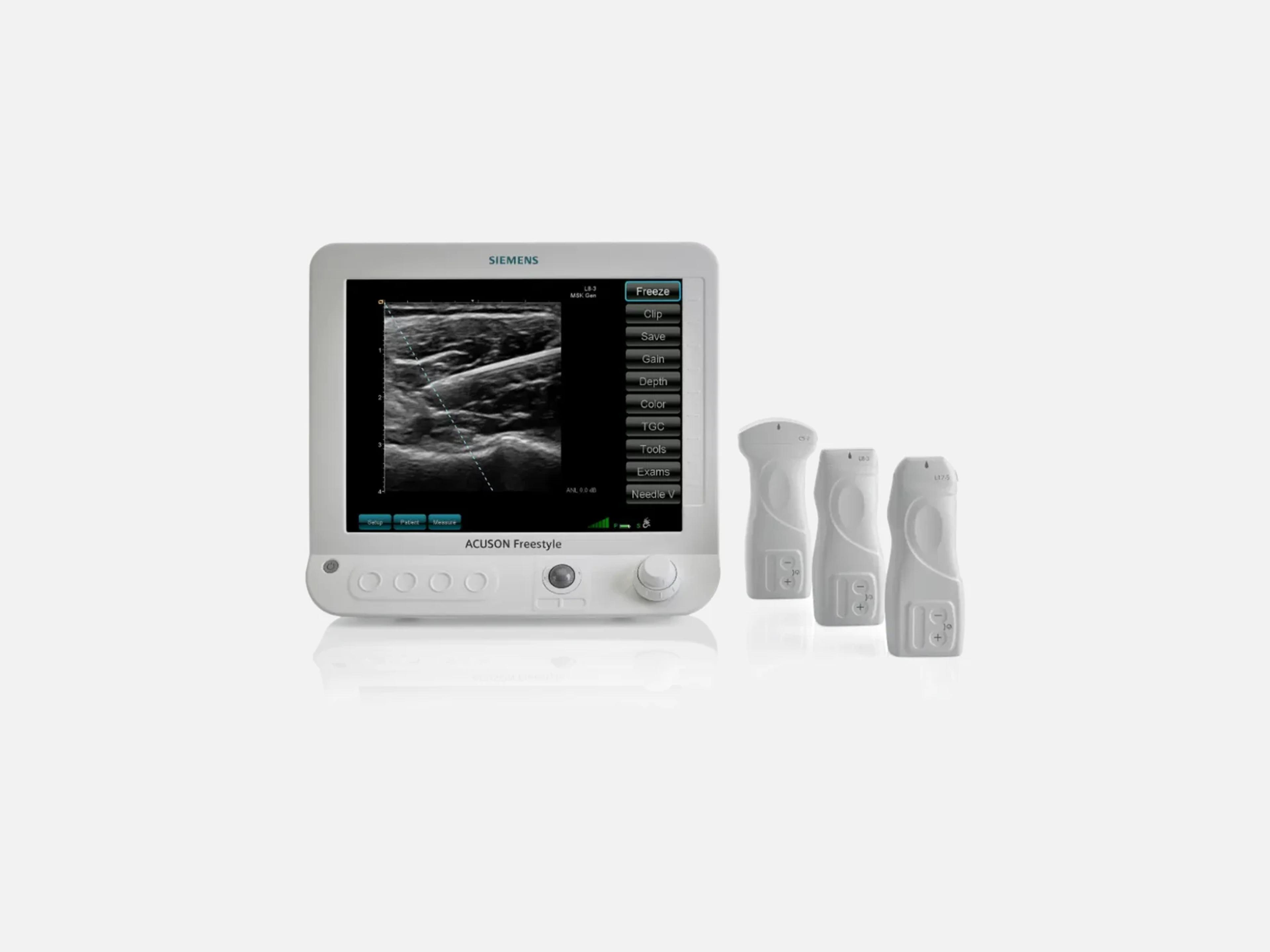
The Siemens ACUSON Freestyle is a wireless-transducer ultrasound system for anesthesiology, interventional radiology and musculoskeletal imaging at the point of care. Each transducer runs on a removable battery, and its own controls operate the system from up to 3 meters away. Its sibling, the ACUSON Freestyle Elite with Artis Access, mounts on the Artis Large Display and works with ARTIS angiography systems.
- Released
- 2012launched by Siemens
- Display
- 15-inchLED-LCD
- Weight
- 4.5 kg10 lb
Compatible probes
Linear
- L8-3 · 3–8 MHz
- L17-5 Requires VA41B software
- L13-5 Supported before VA41B
Convex & microconvex
- C5-2 · 2–5 MHz Release 4.1: requires VA41
Specifications
Display
- Monitor
- 15-inch (38.1 cm) high-bright LED-LCD; tilts and swivels
- Expanded Image Display
- Three image size options, including an expanded clinical-imaging display
Physical
- Weight
- 4.5 kg (10 lb)
- Weight with one probe and battery
- 10.5 lb for the system with one probe and its probe battery (VA41)
- Dimensions (console)
- 158 mm L × 373 mm W × 335 mm H (VA41)
- Mounting
- Small roll stand, monitor arm or tabletop; optional Deluxe roller stand (5-caster base)
- Keyboard
- Fully sealed, with tactile, backlit, full-travel keys and a keyboard lock button
- Transducer sealing
- Fully submersible for high-level disinfection
Power & battery
- Console battery
Lithium-ion, rechargeable; approximately 1 hour from full charge to emptyRechargeable lithium-ion; approximately 1 hour from full charge to empty, varying with operating conditionsShow allShow less
- Transducer battery
Removable lithium-ion; up to 90 minutes of continuous scanning between chargesRemovable rechargeable lithium-ion battery on each transducer; up to 90 minutes of continuous scanning between charges; quick-charge capabilityShow allShow less
- Standard packaged configuration (2017)
- Two probes and four batteries (a reference configuration, not every shipment)
- Auto-freeze
- Halts parts of the imaging subsystem when no image change is detected
- Sleep
- Dims the screen a user-set interval after Auto-freeze
Connectivity & options
- Wireless image link
Proprietary unidirectional ultra-wideband radio, 7.8 GHz center frequencyProprietary unidirectional ultra-wideband radio carrying image data from transducer to system, 7.8 GHz center frequencyShow allShow less
- Wireless control link
- Bluetooth 2.0 Class 2; carries the transducer controls and transducer alarm system
- Wireless range
Transducer controls operate the system from up to 3 m (10 ft)Controls on every transducer operate all imaging parameters from up to 3 meters (10 feet) from the systemShow allShow less
- Probe connection
- Wireless, or wired through the Probe Adapter Cable
- Probe alerts
- Out-of-range alarm; configurable probe and system alerts
- External antenna
- Optional; mounts on the console for better line of sight to the transducers
- Wireless networking
- 802.11 b/g/n WiFi; Enterprise Authentication for sending images
- Ethernet
- Ethernet networking
- USB
- Two USB ports
- DICOM
Verification, Storage, Storage Commitment, Modality Worklist, MPPS and MediaVerification, Storage, Storage Commitment, Modality Worklist and MPPS (the VA40 DICOM option); Media; DICOM archival and networkingShow allShow less
- Auto Send
- Sends studies to PACS automatically when an exam ends
- ACUSON Freestyle Mobile Link App
Remote patient entry, image and clip viewing and sharing; Windows tablet, 8.1 or higherRemote patient registration and image and clip viewing and sharing from a Windows tablet (Windows 8.1 or higher); for information only, not for diagnostic useShow allShow less
- Kinectus Remote Service
- Cloud-based remote service connection that delivers software updates
- Managed Node Package
- Upgrade for remotely delivered software updates
Imaging & software
- Revision and software
- VA40, VA40A (v4.0), VA41, VA41A (v4.1), VA41B; earlier Release 3.5 (October 2014)
- Added in VA41A
Dual screen, settings import/export, digital video output, product data securityDual screen capability, import and export of system settings, digital video output (for interventional suites without video converters) and product data securityShow allShow less
- Operating system
- Dedicated embedded real-time operating system (Integrity RTOS)
- Boot-up time
- Less than 30 seconds
- Internal storage
- 16 GB solid-state flash memory
- Auto Study Management
- Maintains available study storage space automatically
- Imaging modes
- B-Mode, Color Doppler Mode, Amplitude Doppler Mode (individually or combined)
- Pixelformer image processing
- Computational focusing of each pixel; no manual focal-zone setting
- Automated controls
- Automated uniform focusing, auto-frequency and auto TGC
- Needle V needle visualization
In- and out-of-plane guidance; synthetic focusing sharpens the needle displayIn- and out-of-plane needle guidance; synthetic focusing sharpens the needle display without reducing frame rate (multiple angle needle visualization)Show allShow less
- Wide Mode Imaging
- Trapezoidal imaging for an extended field of view on all linear transducers
- Dual Imaging
- Two imaging areas side by side
- Split Imaging
- Simultaneous 2D and color-mode images side by side
- M-Line
- Aligned with the center transducer mark to reference the image center
- Image filtering (VA41A)
- Spatial Compounding and Speckle Filter
- Cine Capture (VA41A)
- Cine clip storage of up to 30 seconds
- Imaging functions (VA41A)
- Multi-Hertz multiple frequency imaging; distance, area and elliptical measurements
- Presets and layout
- Factory-optimized presets; user-customizable presets, buttons and menu layout
Compliance
- FDA 510(k)
K162417 (September 28, 2016); K200644 (April 10, 2020); K202683 (October 15, 2020)K162417 (September 28, 2016); K200644, software VA41A (April 10, 2020); K202683, a special 510(k) covering several ACUSON systems (October 15, 2020)Show allShow less
- Device class
- Class II
- Wireless compliance
- Image link: FCC Part 15 Subpart F (Ultra-Wideband Operation) and FCC Part 95 (WMTS)
What to check when buying a used Siemens ACUSON Freestyle
Reject damaged or deformed probe battery packs
Each probe runs on a removable lithium-ion pack, and a pack that is cracked, deformed, discolored, hot, giving off an odor or not holding a charge must not be used.
How: Inspect every pack's casing, charge each one and confirm it holds the charge, and check that the batteries and chargers are Siemens-supplied.
Inspect the console, controls and power cord
Damage to the enclosure, controls, connectors or display, or a frayed or split power cord, is a safety fault on a system that needs electrical safety testing under local regulations.
How: Look over the console and probes for damage to the enclosure, controls, connectors and display, check the power cord for fraying, splits or wear, and ask for the record of the last electrical safety test.
Check the rollstand setup and its brakes
A rollstand not configured to the maker's specifications can let the system tip over, and even with the brakes engaged the system can slide on a ramp.
How: Confirm the stand is assembled to specification and its brakes hold, and for tabletop use check that the rear tilt stand pulls out.
Test the wireless link at scanning distance
The image travels from probe to console over a short-range radio link, and a weak link shows as bright, streaky lines or a blank image.
How: Scan within the link's design distance with nothing between probe and display and no radio-frequency generators nearby, watch the Wireless Signal Quality bars and the Average Noise Level readout, and treat streaky lines, no-signal messages or a blank image as a fault.
Common questions about the Siemens ACUSON Freestyle
Is the Siemens ACUSON Freestyle FDA-cleared?
Yes. The ACUSON Freestyle is a Class II device cleared under 510(k) K162417 (September 28, 2016) and K200644 (April 10, 2020, software VA41A), and it is one of several ACUSON systems in the special 510(k) K202683 (October 15, 2020).
Its 2016 clearance treats it as a modification of a primary predicate cleared under K100598 in November 2010, with the ACUSON S2000 (K152369) as secondary predicate; the predicate for K200644 is the ACUSON Freestyle 4.0 (VA40A).
What is the ACUSON Freestyle FDA-cleared for?
At software VA41A, under K200644, its cleared indications are abdominal, pediatric, small organ, peripheral vessel, conventional musculoskeletal and superficial musculoskeletal imaging.
That clearance removed the fetal, cardiac, neonatal cephalic, intraoperative and intraoperative neurological indications listed under K162417, and K202683 expanded the labeling to include lung ultrasound imaging.
What is the difference between the ACUSON Freestyle and the Freestyle Elite with Artis Access?
The ACUSON Freestyle Elite with Artis Access is a separate configuration: the system is rear-mounted on the Artis Large Display and combined with ARTIS angiography systems (Artis Q.zen, Artis zee, ARTIS pheno and Artis Q), with Artis Patient Synchronization for patient data registration.
Under K200644 the ACUSON Freestyle and the ACUSON Freestyle Elite are separate devices at VA41A (v4.1).
What is the difference between the L17-5 and the L13-5 on the ACUSON Freestyle?
The L17-5 is a modified L13-5 with higher frequency capability for near-field resolution. It requires software VA41B, while earlier software levels support the L13-5, which is also supplied where the L17-5 is not available.