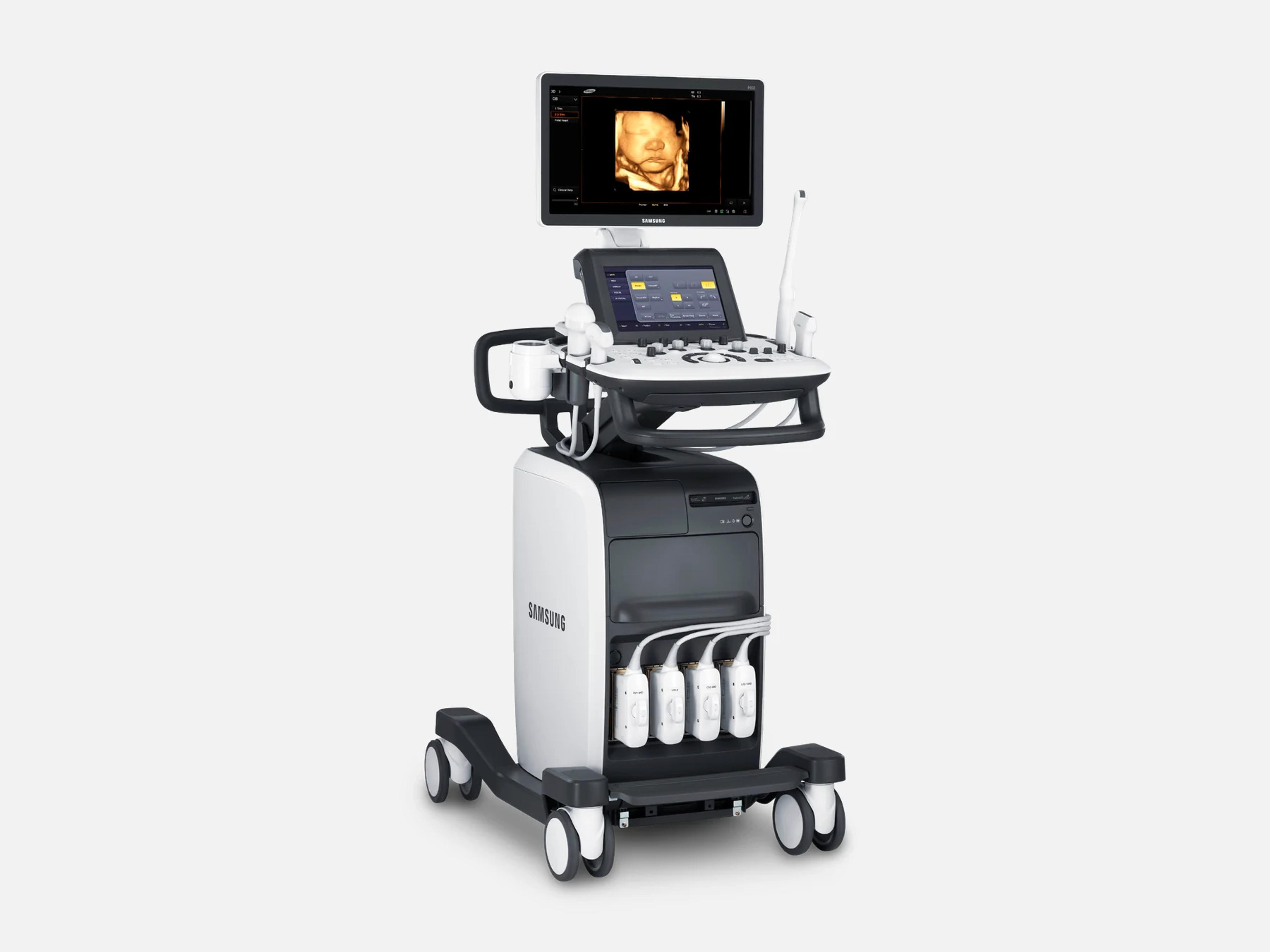
The Samsung H60 is a cart-based system designed for 2D, 3D and 4D ultrasound in the office, with image processing tools for OB/GYN and radiology. Its 2014 FDA clearance at software V2.00 includes obstetrics, gynecology, abdominal, pediatric, small organ, urology, cardiac, peripheral vessel and muscular-skeletal use. The HS50, HS60 and WS80A are separate Samsung systems, each with its own 510(k).
- Released
- 2014first FDA clearance
- Display
- 18.5/21.5-inchwide LED; V2.00 / V2.01
Compatible probes
Linear
- L5-13
- LF5-13
- LA3-14AD Added with V2.00
Convex & microconvex
- C2-8
- CA1-7AD S-Vue; added with V2.00
- CA2-8AD Added with V2.00
- CF2-8
- CF4-9
- CS1-4
- ER4-9
- EVN4-9
- VR5-9 Added with V2.00
Phased
- PE2-4
- SP3-8
Specialty
- 3D2-6 3D volume
- 3D4-9 3D volume
- CV1-8AD 3D volume, S-Vue; added with V2.00
- V5-9 3D volume; added with V2.00
- VE4-8 3D volume
- CW2.0 CW pencil
- CW4.0 CW pencil
- DP2B CW pencil; added with V2.00
Specifications
Display
- Main monitor
- 18.5-inch wide LED, 1366 x 768 (V2.00); 21.5-inch wide LED (V2.01)
- Monitor arm (V2.00)
- Height and position adjustable; retracts for transport
- Touch screen
10.1-inch multi-touch, customizable menu, anti-scratch; 1280 x 800 at V2.0010.1-inch multi-touch screen with a customizable touch menu and anti-scratch technology; at V2.00, a 10.1-inch LCD with LED backlight, 1280 x 800 pixelsShow allShow less
Physical
- Weight (V2.00)
- 104.7 kg without accessories
- Dimensions (V2.00)
- 1660 mm high with monitor, 550 mm wide, 980 mm deep with keyboard
- Probe ports (V2.00)
- 3 standard, a fourth optional, plus a CW probe connector
- Control panel
Lift control panel moves left/right and up/down; probe holders on both sidesLift control panel that moves left and right and up and down, its height set by a lever on the control-panel handle; probe holders on both sides of the control panelShow allShow less
- Controls
- Intelligent control panel with 6 user-programmable keys, customizable as shortcuts
Power & battery
- Power (V2.00)
- 100–240 VAC, 620 VA, 50/60 Hz; auxiliary socket outlets 100–240 VAC, max total load 150 VA
Connectivity & options
- Rear panel (V2.00)
HDMI out, USB, audio out (L/R), S-VHS in/out, D-SUB (VGA) monitor out, LANHDMI output, USB, audio output (L/R), S-VHS input and output, D-SUB (VGA) monitor output and a LAN network port; an HDMI input is present but not supportedShow allShow less
- Storage (V2.00)
Internal HDD min. 500 GB; DVD-Multi drive; USB flash and USB HDDInternal HDD, min. 500 GB, SATA-2, 2.5-inch; internal DVD-Multi drive (DVD±R, DVD±RW, DVD-RAM, CD-R, CD-RW); external USB flash and USB HDDShow allShow less
- Peripherals
Printer bay and basket; video and USB printers, DVD recorder, foot switch, USB ECGBuilt-in printer bay and basket; supported auxiliaries: DVD Multi-Drive, digital black-and-white and color video printers, USB printer, DVD recorder, foot switch (IPX8), e-Motion Marker (IPX7), USB flash media, USB HDD and USB ECGShow allShow less
- Gel warmer
- Built-in, two adjustable levels, 30 °C to 39 °C; optional at V2.00
Imaging & software
- Revision and software
Software V2.00, which brought the H60 name, and V2.01; V2.01.05 fixed an EDD (AUA) issueThe H60 name came with software V2.00, the version FDA-cleared in 2014 with no change to hardware features, and V2.01 followed; software V2.01.05 resolved an EDD (AUA) value that changed when an exam was reviewed later.Show allShow less
- Imaging modes (V2.00)
B, M, Color M, color and power Doppler, PW and CW Doppler, harmonic, TDI, TDW, 3D/4D…B mode, M mode, Color M-mode, Color Doppler, Power Doppler (including Directional Power Doppler and S-Flow), PW and CW spectral Doppler, Tissue Harmonic Imaging, Tissue Doppler imaging, Tissue Doppler Wave, 3D imaging with real-time 4D, ElastoScan mode, and combined modesShow allShow less
- Image processing
ClearVision (SDMR before V2.00), SCI spatial compounding (MultiVision at V2.00)ClearVision, which combines DMR Plus 2.2 with Speckle Reduction Imaging and was named SDMR before V2.00; Spatial Compounding Image (SCI), electronically steered spatial compounding, named MultiVision at V2.00Show allShow less
- Image optimization
Hybrid Beamforming Engine, S-Vue transducers, QuickScan, Digital TGC Preset (four)Hybrid Beamforming Engine (hybrid imaging engine) with S-Vue transducer technology; QuickScan one-touch optimization of key imaging parameters; Digital TGC Preset, four saved digital TGC presets shown as image thumbnailsShow allShow less
- Flow and elastography
S-Flow directional color flow; ElastoScan elastography; Auto IMT+ carotid IMTS-Flow directional color flow imaging for low-speed blood flow in peripheral vessels such as the kidney and MCA; ElastoScan elastography, which shows tissue stiffness as color images; Auto IMT+ automatic intima-media thickness measurement of the near and far walls of the common carotid arteryShow allShow less
- Needle and wide-view tools
Beam Steering and Needle Mate for needle visibility; Panoramic extended field of viewBeam Steering for needle detection; Needle Mate needle visualization in B mode (H60 V2.00); Panoramic extended field-of-view imaging, with angular scanning on linear array transducersShow allShow less
- 3D and 4D tools
3D XI (Multi-Slice View, Oblique View, Volume CT), XI STIC, VOCAL, XI VOCAL, 3D MagiCut…3D XI (Multi-Slice View, Oblique View, Volume CT), XI STIC, VOCAL, XI VOCAL, 3D MagiCut, Volume NT & IT and e-Motion Marker; the OB/GYN advanced applications vary in availability by countryShow allShow less
- Further named features
- Needle Mate+, Ez Exam+, Realistic Vue
Environment
- Operating environment (V2.00)
- 10–35 °C, 30–75% humidity, 700–1060 hPa
Compliance
- FDA 510(k)
K143264 (2014-12-09); predicate chain K132861 (2013-10-04), K122583 (2012-09-05)K143264, the H60 V2.00 Diagnostic Ultrasound System, found substantially equivalent 2014-12-09 (21 CFR 892.1550; product codes IYN, IYO, ITX), recording a change of model name in V2.00 and no change to hardware features; among its predicates, K132861, decided 2013-10-04; and K132861's own predicate, K122583, decided 2012-09-05Show allShow less
What to check when buying a used Samsung H60
Have the system checked for electrical leakage
The system is to be checked regularly for electrical leakage by Samsung customer support and must be grounded to protective earth.
How: Ask when leakage was last checked, plug the system only into a grounded outlet, and connect only peripherals listed for its auxiliary outlet.
Reject a cracked housing or worn cable
The system is not to be used if its housing is cracked or chipped or a cable is worn.
How: Inspect the housing, every cable, cord and plug, and the power cord's plug end, since unplugging by pulling the cord can damage it and short-circuit the system.
Connect every probe before powering on
Connecting a probe or peripheral while the system runs can injure a patient or damage the console beyond repair, and static discharge from a user or patient can damage the system or probes.
How: Have every probe and peripheral connected before the system is powered on, and never plug one in while it is running.
Inspect each probe's housing, lens and seal
A damaged probe can cause electric shock and other hazards.
How: Check the housing, strain relief, lens and seal for cracks, broken parts, leaks and sharp edges, and note any functional problem while scanning.
Common questions about the Samsung H60
Is the Samsung H60 FDA-cleared?
Yes. The H60 V2.00 Diagnostic Ultrasound System is FDA-cleared under 510(k) K143264, found substantially equivalent on December 9, 2014, under 21 CFR 892.1550 with product codes IYN, IYO and ITX.
That clearance records a change of model name in V2.00 and no change to hardware features. Among its predicate devices is the system cleared under K132861 on October 4, 2013, whose own predicate was cleared under K122583 on September 5, 2012.
What is the Samsung H60 FDA-cleared for?
Under K143264, the H60 is cleared for fetal/obstetric, abdominal, gynecology, pediatric, small organ, neonatal cephalic, adult cephalic, trans-rectal, trans-vaginal, musculoskeletal (conventional and superficial), urology, adult and pediatric cardiac, and peripheral vessel use.
Is the Samsung H60 the same as the HS60 or WS80A?
No. The HS50 / HS60 is a separate Samsung system, cleared under 510(k) K170493 on March 28, 2017, with the H60 (K143264) among its predicate devices.
The WS80A is separate too, with its own 510(k), K133329, and is one of the predicate devices the H60's clearance names. The WS80A is Samsung's OB/GYN system with 5D functions, while the H60 carries image processing tools for OB/GYN and radiology.