Samsung Q10
Samsung Healthcare · EVO series
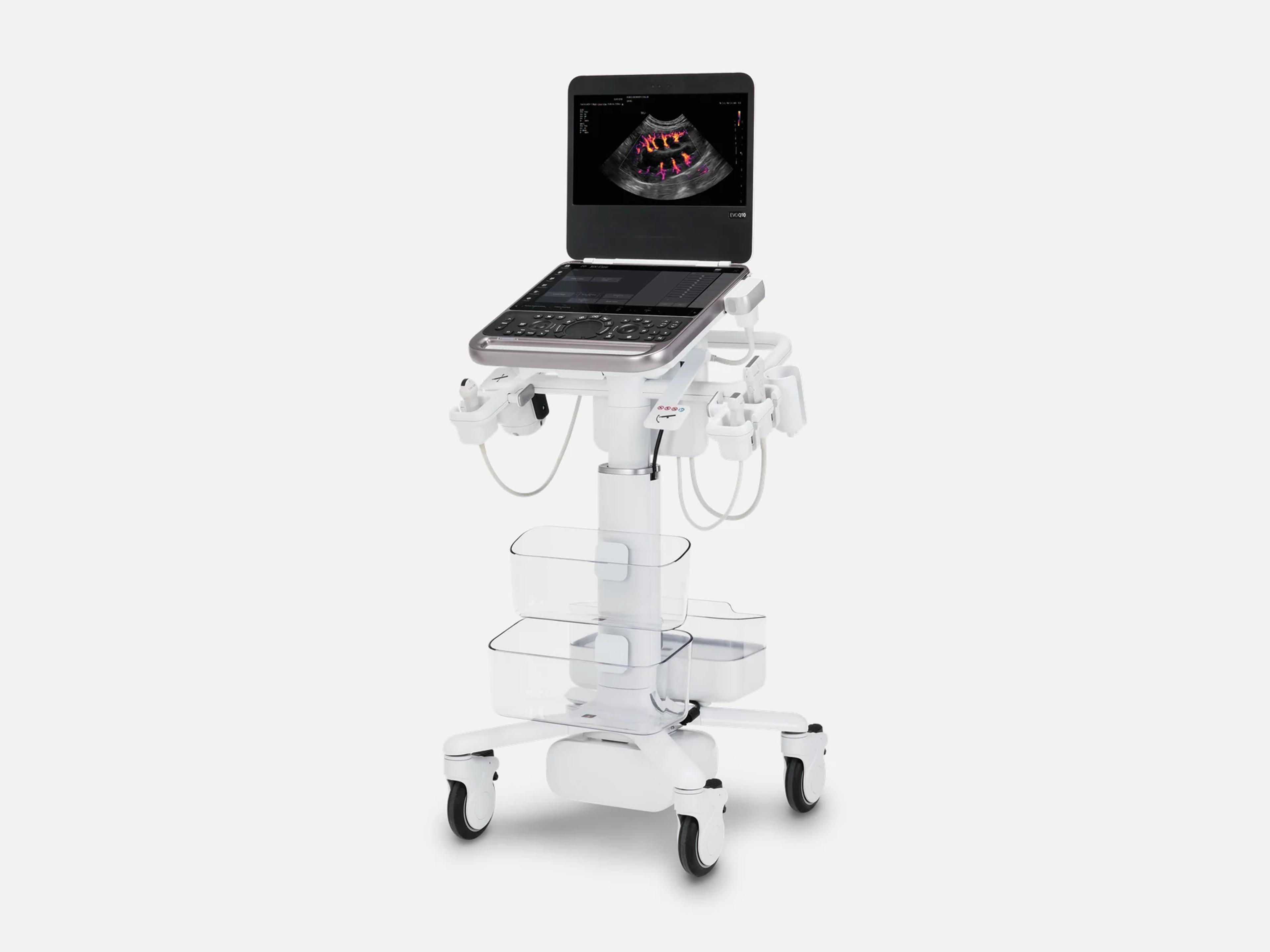
The Samsung Q10 (EVO Q10) is a portable, laptop-style point-of-care ultrasound system for emergency and bedside imaging. It also serves general imaging and women's health, with cleared uses from obstetrics and gynecology to adult cardiac and transesophageal imaging. Its touchscreen interface matches the R20's, its operation is modeled on the Z20 systems, and the EVO Q20 and EVO Q30 share its FDA clearance.
- Released
- 2026launched by Samsung
- Probe ports
- 1 activeplus 3-port Probe Connector
Compatible probes
Linear
- LA2-9SD
- LA2-16S
- LA2-16Sc Side button
- LA3-16AD
- LA3-16ADc Side button
- L3-22
- LA3-22AI
Convex & microconvex
- CA1-7SD
- CA2-8AD
- CA4-10M
Phased
- PA1-5AED
- PA2-9S
Endocavity
- EA2-11ARE
- EA2-11AVE
Specialty
- TA2-9 Transesophageal
- MMPT3-7 Transesophageal
Specifications
Display
- Display
- Monitor plus touchscreen; touchscreen interface the same as the R20's
- Monitor positioning
- Tilt range 20° to 60°; 300 mm height adjustment
- MirrorTouch™
- Mirrors the interface to a secondary touch-enabled screen, with full control from it
Physical
- Probe ports
One standard active port; 3-port Probe Connector for up to three additional probesOne standard active probe port on the laptop; the 3-port Probe Connector allows up to three additional probes at once, switched electronically without unpluggingShow allShow less
- Controls and user interface
Trackpad or trackball; sealed keyboard; gesture touchscreen; voice commandsTrackpad or traditional trackball; sealed keyboard; gesture-based touchscreen control; operation modeled after the Z20 systems; touchscreen interface the same as the R20's; voice commands for hands-free operation; button probe with assignable functions (Gain, Depth, Focus, Color)Show allShow less
- Frame
- Magnesium frame; up to 2.5 times greater strength than the previous model
- Cart
- Available; the system is cleared for use with or without it
Power & battery
- Battery
- Up to 4.5 hours of continuous scanning with an external power pack
Connectivity & options
- Wireless
- WLAN with Wi-Fi and Bluetooth modules
- Accessories
- Video Output Device, Pencil Gender and WLAN Adapter, as cleared for the EVO family
- Button probe
Optional; controls depth, gain and image capture from the transducerOptional; controls depth, gain and image capture from the transducer, with assignable functions (Gain, Depth, Focus, Color)Show allShow less
- SonoSync™
- Optional tele-ultrasound: real-time image sharing and remote control
- S-Hub
- Optional centralized ultrasound ecosystem management
Imaging & software
- Cleared imaging modes
2D, M mode, Color and Power Doppler, PW and CW Doppler, TDI, TDW, ElastoScan, 3D/4D2D, Color Doppler, Power Doppler (PD), M mode, Pulsed Wave (PW) Doppler, Continuous Wave (CW) Doppler, Tissue Doppler Imaging (TDI), Tissue Doppler Wave (TDW), ElastoScan, combined modes (2D/C/PW, 2D/PD/PW, 2D/C/CW, 2D/PD/CW, 2D/C/M, 2D/TDI/TDW, Dual live), MV-Flow, Multi-Image (Dual, Quad) and 3D/4D, as cleared for the EVO family including the EVO Q10Show allShow less
- S-Harmonic
- Pulse Inversion Harmonic Imaging
- MV-Flow™
- Includes Vascularity Index
- Further features
- S-Flow™; 2D Follicle™; MyTune™ customization
- ClearVision™
- Noise reduction with edge detection; listed for the veterinary configuration
- DualLive
- Two live images side by side
- Panoramic+
- Optional panoramic imaging
- EzStructure™
- One-click 2D optimization presets: Lung, FAST, Pericardial, Aorta, Penetration
- EzGuide
Anatomical guidance and reference images for probe placement and scanning directionOn-screen anatomical guidance and reference images for probe placement and scanning directionShow allShow less
- EzDiagram™
- Structured documentation and reporting during protocols such as lung scan or eFAST
- HeartAssist™
- Optional automated cardiac measurements
- NerveTrack™
- Optional; highlights nerve regions automatically in real time
- NeedleMate+™
- Optional needle-path visualization
- EzPictogram
- Shows fibroid location in a pictogram
- IETA and IDEA
- Protocol workflows: IETA for endometrium and uterine cavity, IDEA for endometriosis
- Sonio
- AI-powered reporting for women's health imaging
- TouchSign
- Digital signature on documents within the system
- Operating system
- Windows 11
Environment
- Water resistance
- IP22-rated control panel, trackpad configuration only
Compliance
- FDA 510(k)
K254099 (March 27, 2026)K254099, Substantially Equivalent on March 27, 2026; Class II, 21 CFR 892.1550, product code IYNShow allShow less
What to check when buying a used Samsung Q10
Confirm both acoustic output indices show while imaging
The mechanical index and thermal index are shown automatically in real time, and a unit that drops either leaves the operator scanning without a read on acoustic output.
How: Scan with a probe connected and confirm both indices appear on screen; an index that never appears is a fault.
Inspect the keyboard seal and control panel
The keyboard is sealed and, on trackpad units, the control panel is rated IP22 for water resistance, so a broken seal lets fluid in where the panel was built to keep it out.
How: Look along the keyboard seal and across the control-panel surface for splits, lifting edges or traces of fluid underneath, any of which means the seal has failed.
Read the system label for the model name
The EVO Q10 shares one FDA clearance with other separately named EVO systems, among them the EVO XQ10 and EVO QH10, so the clearance alone does not identify the machine.
How: Read the model name on the system label and confirm it says EVO Q10 rather than a sibling such as the EVO XQ10 or EVO QH10.
Test the touchscreen across its whole surface
The system is operated through its touchscreen, so a dead or unresponsive area takes controls out of reach.
How: Touch and swipe across every part of the touchscreen, and if a secondary touch screen comes with the unit, confirm MirrorTouch mirrors the display onto it with full control.
Common questions about the Samsung Q10
Is the Samsung Q10 FDA-cleared?
Yes. The EVO Q10 Diagnostic Ultrasound System is FDA-cleared under 510(k) K254099, found substantially equivalent on March 27, 2026, as a Class II device with product code IYN.
The clearance names nine EVO systems: the EVO Q30, Q20 and Q10, the EVO XQ30, XQ20 and XQ10, and the EVO QH30, QH20 and QH10. Its predicate device is the HM70 EVO Diagnostic Ultrasound System, K233112.
What is the Samsung Q10 used for?
It is a point-of-care ultrasound system built for emergency and bedside imaging, and in the US Samsung also offers it for general imaging and women's health.
The indications in its FDA clearance, the same for every EVO system the clearance names, are fetal and obstetric, abdominal, gynecology, intra-operative, pediatric, small organ, neonatal and adult cephalic, trans-rectal, trans-vaginal, musculoskeletal (conventional and superficial), urology, adult and pediatric cardiac, thoracic, dermatology, trans-esophageal cardiac and peripheral vessel imaging, in hospitals including emergency rooms, private practices, clinics and similar care settings.
Is the Samsung Q10 the same as the EVO Q10?
Yes. Samsung uses both names for this system, and its FDA-cleared device name is EVO Q10 Diagnostic Ultrasound System.
The EVO XQ10 and EVO QH10 are cleared in the same 510(k) under their own names.
Is the Samsung Q10's touchscreen the same as the R20's?
Yes. Its touchscreen interface is identical to the R20's, and its operation is modeled after Samsung's Z20 systems.
Is there a veterinary version of the Samsung Q10?
Yes. In the US, Samsung markets the EVO Q10 for small-animal veterinary imaging, with presets stratified by animal size, and the veterinary configuration carries ClearVision™ noise reduction.