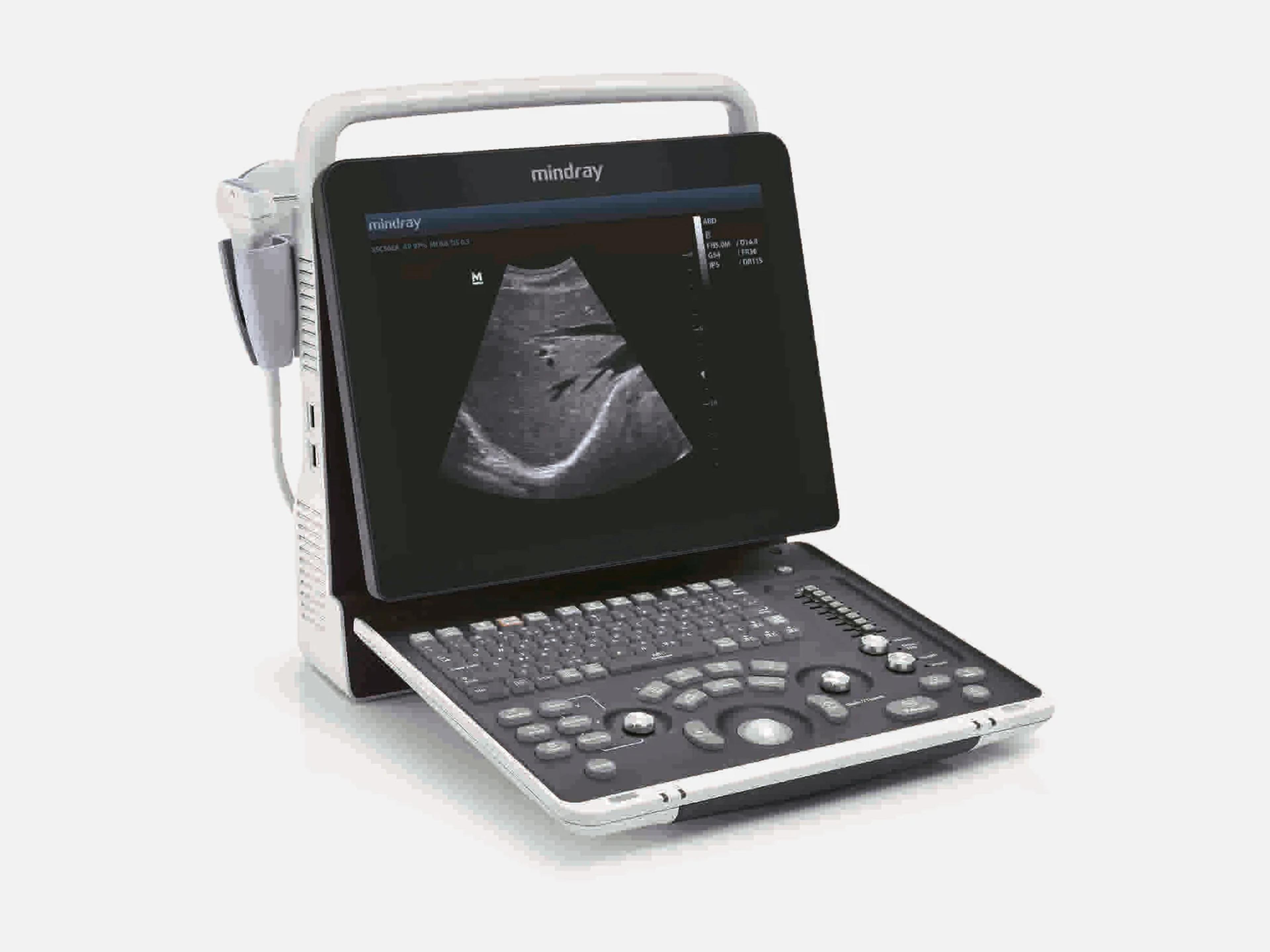
The Mindray DP-50 Expert is a portable ultrasound system with a 15-inch tilting LCD, offered for private office practice. It is used for abdominal, OB/GYN, urology, small parts, emergency, orthopedic, endocavity and interventional work, with static 3D and optional 4D on the D6-2EA probe. It is FDA-cleared under 510(k) K200979 with the DP-50T, DP-50S and DP-50Pro, and its software is based on the DP-50.
- Released
- 2020first FDA clearance
- Display
- 15-inch LCDtilt angle 60 degrees
- Weight
- 8.1 ± 0.5 kgno battery, two probe ports
Compatible probes
Linear
- 10L24EA
- 75L38EA
- 75L53EA
- 75LT38EA Intra-operative; 7.5 MHz nominal
Convex & microconvex
- 35C50EA
- 35C20EA 3.5 MHz nominal
- 65C15EA
- 65EC10EA
- D6-2EA Static 3D and 4D; 4.0 MHz nominal
Endocavity
- 65EC10ED Trans-rectal and trans-vaginal; 6.5 MHz nominal
- 65EB10EA Bi-plane, transrectal
Specifications
Display
- Display
- 15-inch full-screen LCD with tilt; monitor tilt angle 60 degrees
Physical
- Dimensions
- 147 ± 5 mm deep × 361 ± 5 mm wide × 358 ± 5 mm high
- Weight
- 8.1 ± 0.5 kg net, without battery, with two probe ports
- Probe ports
- 2 transducer connectors (system symbols name probe ports A, B and C)
- Controls
Backlit panel, alphanumeric keys, trackball, TGC, Gain/iTouch knob, user-defined keysBacklit control panel; alphanumeric keys; trackball with Set key; TGC control; Gain/iTouch knob (rotate for gain, press for iTouch); user-defined keys (Print, Save1, Save2, F1) assignable in Key Function setupShow allShow less
- Mobile cart
- Optional UMT-150, UMT-160 or UMT-170
Power & battery
- Power
- 100–240 V AC, 50/60 Hz, input 1.5–0.8 A
- Battery
Optional lithium-ion pack (LI34I002A); scanning time up to 120 minutesOptional lithium-ion battery pack, model LI34I002A; scanning time up to 120 minutes; a completely discharged battery charges fully in less than 3 hours with the system offShow allShow less
Connectivity & options
- Connectivity
Network, USB, video, VGA and remote control ports; DICOM 3.0Network port, USB ports, video output, remote control port and VGA signal output; DICOM 3.0 connectivity; images can be sent to a DVD recorder, DICOM storage and print servers, printers, iStorage and MedSight, and iStorage transfers images and reports to a PC over a network cableShow allShow less
- DICOM
Optional DICOM Basic; Worklist, MPPS, Query/Retrieve, OB/GYN, Vascular and Cardiac SRDICOM package optional. DICOM Basic: verify connectivity, task management, storage, print, storage commitment and media storage (DICOMDIR review). Further options that require DICOM Basic: Worklist, MPPS, Query/Retrieve, OB/GYN SR, Vascular SR and Cardiac SRShow allShow less
- Export formats
JPG, TIFF or BMP frames and AVI cine; DCM single- and multi-frame; RTF reportsSingle frames as JPG, TIFF or BMP and cine as AVI; DCM single-frame and multi-frame; reports as RTFShow allShow less
- Storage
- 1TB integrated hard disk
- Supported peripherals
Video and graph/text printers, 1-, 2- or 3-pedal footswitch, external USB DVD recorderGraph/text printer OFFICEJET PRO 8100; video printers UP-D25MD, P93W-Z and UP-X898MD; 1-, 2- or 3-pedal footswitch; external DVD recorder via USBShow allShow less
- Software options
Color, PW, HPRF, 4D, Smart 3D, iLive, Smart Face, Smart OB, iNeedle, IMT and moreIMT, Free Xros M, iScape View, Color, Power (standard on the US DP-50 Expert), PW, HPRF (requires PW), iNeedle, iWorks, 4D module, Smart 3D, iLive (requires the 4D module or Smart 3D), Smart Face (requires the 4D module), Smart OB and Smart BladderShow allShow less
Imaging & software
- Imaging modes
B, M, Free Xros M, Color, Power (Dirpower), PW, Smart 3D, static 3D, 4D, iScapeB, M, Free Xros M, Color, Power (Dirpower), PW Doppler, Smart 3D, static 3D, 4D and iScape panoramic imaging. On the US DP-50 Expert, Power Doppler is standard and Color and PW Doppler are options; Free Xros M, Smart 3D, the 4D module and iScape View are options tooShow allShow less
- Imaging technologies
Dynamic beamforming, iBeam, iClear, THI, TSI, B-Steer, Trapezoid imaging, ColorizationDynamic beamforming; iBeam spatial compounding imaging; iClear speckle reduction adaptive image processing; Tissue Harmonic Imaging (THI); Tissue Specific Imaging (TSI); B-Steer; Trapezoid imaging; ColorizationShow allShow less
- Transducer technology
Wideband transducers, up to four frequencies each; 2–10 MHz; up to 140-degree scan angleHigh-sensitivity wideband transducers with up to four imaging frequencies each; imaging frequencies 2–10 MHz; scanning angle up to 140 degrees; general purpose and specialty transducers; needle guide bracketsShow allShow less
- Workflow features
Quick Save, iTouch, iZoom, iWorks protocols, iStation patient management, Auto IMTQuick Save (one-click image save and transfer to a local server or USB); iTouch auto image optimization (single button); iZoom; iWorks protocol; iStation patient information management (clipboard, onboard reporting); Auto IMT (automatic measurement of carotid intimal thickness)Show allShow less
Environment
- Operating
- 0–40 °C; 30–85% relative humidity, no condensation; 700–1060 hPa
- Storage and transport
- -20–55 °C; 30–95% relative humidity, no condensation; 700–1060 hPa
Compliance
- FDA 510(k)
K200979 (decision May 28, 2020); Class II, 21 CFR 892.1550, product code IYNK200979: received April 13, 2020; decision May 28, 2020, Substantially Equivalent, for the DP-50/DP-50T/DP-50Expert/DP-50S/DP-50Pro Digital Ultrasonic Diagnostic Imaging System. Class II, 21 CFR 892.1550, product code IYN (subsequent codes ITX, IYO)Show allShow less
- Safety classification
Class I and internally powered; Type BF; IPX0 main unit, IPX7 probes, IP68 footswitchExternally powered Class I equipment and internally powered equipment; Type BF applied part; main unit IPX0, probes IPX7, footswitch IP68Show allShow less
What to check when buying a used Mindray DP-50 Expert
Have the electrical safety tests run
Long use can degrade electrical and mechanical performance through leakage, distortion and abrasion, and can worsen image sensitivity and precision.
How: Have a biomed measure protective earth resistance with an analyzer, and test ground, enclosure and patient leakage current.
Inspect the power cord, plug and adapter
An adapter other than the one supplied with the system can cause electric shock.
How: Confirm the adapter is the one supplied with the system, and check the cord for damage, the plug pins for breaks, bends or discoloration, the strain relief for damage and the plug for warmth in use.
Check for smells, rattles and error messages
Unusual sounds or smells after power-on can indicate overheating.
How: Power the system on and check for a rattle inside the case, burning or smoky smells from the ventilation holes, a system error message that stays on screen, and taped notes about faults or operator concerns.
Look for signs of liquid spills
The main unit is not waterproof, and liquid sprayed on or into it can cause electric shock or malfunction.
How: Check the case and control panel for residue of fluid spillage, and have Mindray service inspect any unit that shows it.
Common questions about the Mindray DP-50 Expert
Is the Mindray DP-50 Expert FDA-cleared?
Yes. It is cleared under 510(k) K200979 as part of the DP-50/DP-50T/DP-50Expert/DP-50S/DP-50Pro Digital Ultrasonic Diagnostic Imaging System, found substantially equivalent on May 28, 2020. It is a Class II device under 21 CFR 892.1550, product code IYN.
It is a prescription device: US federal law restricts its sale to, or on the order of, a physician.
What is the Mindray DP-50 Expert used for?
It is indicated for adults, pregnant women, pediatric patients and neonates, for fetal, abdominal, intra-operative (abdominal, thoracic and vascular), pediatric, small organ (breast, thyroid, testes), neonatal and adult cephalic, trans-rectal, trans-vaginal, musculoskeletal (conventional and superficial), cardiac (adult and pediatric) and peripheral vascular use, by a trained operator in a clinical setting. It is not intended for ophthalmic use.
Is the Mindray DP-50 Expert the same as the DP-50?
No. It is a separate model in the same family: 510(k) K200979 added it, with the DP-50T, DP-50S and DP-50Pro, to the DP-50 (K111435), and the family's software is based on the DP-50. The five models share one operator's manual.
Does the Mindray DP-50 Expert do 3D and 4D imaging?
Yes. The D6-2EA probe supports static 3D and the 4D mode, and 4D imaging is an option. Smart 3D is a separate option.
iLive requires the 4D module or Smart 3D, and Smart Face requires the 4D module. Both 4D and Smart 3D are in the DP-50 family's 510(k), K200979.